Skip to content
Tuesday, November 10, 202611:51:28
fappelo

About Fappelo

Fappelo – A technology-focused online publication covering practical explainers, software, digital tools, internet services, and modern technology updates. We aim to make technical topics easier to understand through clear and useful articles.

Social Icons

Facebook1,750FansLikeX (Twitter)759FollowersFollowInstagram2,500FollowersFollowPinterest1,365FollowersPinYoutube2,700SubscribersSubscribeTiktok2,900FollowersFollowTelegram2,000MembersJoinSoundcloud1,963FollowersFollowVimeo1,254FollowersFollowDribbble3,520FollowersFollow
  • Home
  • About Fappelo
  • Technology
  • Blog
  • Contact
    • Privacy Policy
Main Menu
  • Home
  • About Fappelo
  • Technology
  • Blog
  • Contact
    • Privacy Policy

Kevin

Kevin is a technology writer at Fappelo focused on software, digital tools, internet services, artificial intelligence, mobile technology, and everyday digital platforms. He approaches technology topics with an emphasis on clarity, context, and practical usefulness, helping readers understand unfamiliar features, common digital concepts, and the considerations that matter when using modern apps, services, and connected technologies.

how to screen record on Chromebook
  • Technology

How to Screen Record on Chromebook: 5 Ways That Work

To screen record on a Chromebook, press Shift + Ctrl + Show Windows, click the video camera icon to switch from screenshot mode to Screen record, choose full screen, a partial area, or a single window...

Kevin
November 10, 2026
Read More
screenshot on Chromebook, Chromebook screenshot, Screen Capture tool, ChromeOS
  • Technology

How to Screenshot on Chromebook: 6 Easy Ways

To take a screenshot on a Chromebook, press Ctrl + Show Windows for a full-screen capture, or press Ctrl + Shift + Show Windows to open the Screen Capture tool and choose a full screen, partial area, ...
Kevin
November 1, 2026
Read More
How to right-click on a Chromebook using four methods
  • Technology

How to Right Click on a Chromebook in 4 Ways

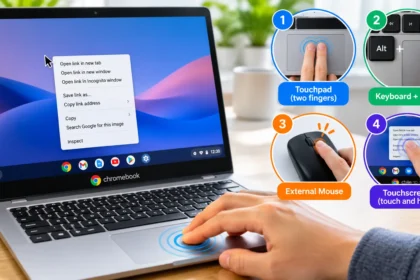
Use the touchpad, a keyboard-assisted click, an external mouse, or a touchscreen to open the right-click menu in ChromeOS. To right-click on a Chromebook, press or tap the touchpad with two fingers at...

Kevin
October 29, 2026
Read More
How to Get to Clipboard on Chromebook
  • Technology

How to Get to Clipboard on Chromebook

Press Search + V or Launcher + V to open the clipboard on a Chromebook. Click where you want to paste first, then use the shortcut to choose from your recent copied items. Use the arrow keys to select...

Kevin
October 26, 2026
Read More
how to check devices logged into Google account
  • Technology

How to Check Devices Logged Into Your Google Account

To check devices logged into your Google Account, open the device activity page. Confirm that you have selected the correct account, then inspect the entries. Open a device or session to review it and...
Kevin
October 20, 2026
Read More
how to remove third-party app access from google account
  • Technology

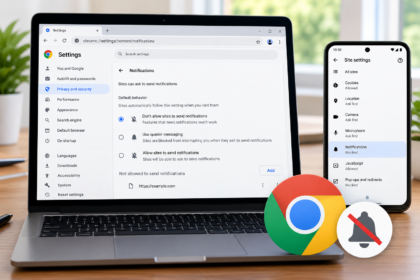
How to Disconnect Apps From Your Google Account

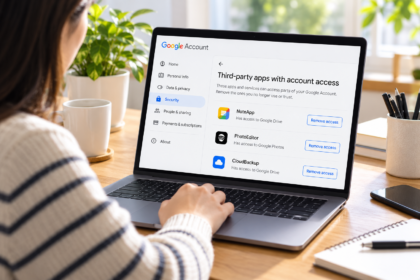
An app you stopped using may still have permission to work with information in your Google Account. To withdraw that permission, visit your account’s connections page, inspect the app’s entry, and use...
Kevin
October 19, 2026
Read More
how to turn off website notifications in Chrome
  • Technology

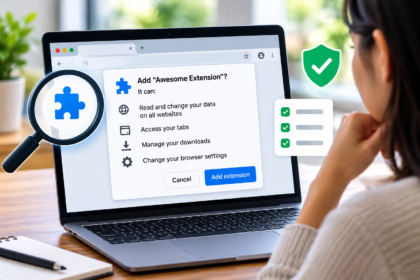
How to Turn Off Website Notifications in Chrome

To turn off the website notifications in Chrome on a computer, open Settings → Privacy and security → Site settings → Notifications, then block the unwanted website. To stop future permission requests...
Kevin
October 13, 2026
Read More
How to Check Browser Extension Permissions Before Installing
  • Technology

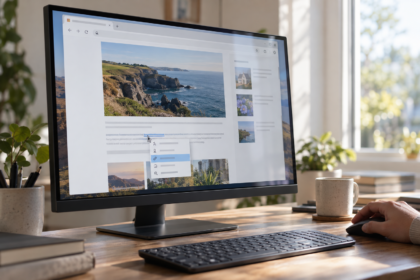
How to Check Browser Extension Permissions Before Installing

A browser extension can add a useful feature in seconds: block distracting pages, save a recipe, translate text, or change how a website looks. The permission prompt that appears during installation d...
Kevin
October 11, 2026
Read More
How to Check If a Link Is Safe
  • Technology

How to Check If a Link Is Safe Before Clicking

To check if a link is safe, inspect its actual destination, compare the domain with the website you intended to reach, and verify any unexpected request through a separate, trusted route. A reputation...

Kevin
October 3, 2026
Read More
fappelo
Fappelo is a technology-focused online publication covering practical explainers, software, digital tools, internet services, and modern technology updates. Our articles are written to make technology easier to understand.

Email: guestpost.cheapest@gmail.com
Call Us: +44 7380 299830

Category List

  • Technology(14)

Featured Posts

1how to screen record on Chromebook
How to Screen Record on Chromebook: 5 Ways That Work
November 10, 2026
2screenshot on Chromebook, Chromebook screenshot, Screen Capture tool, ChromeOS
How to Screenshot on Chromebook: 6 Easy Ways
November 1, 2026
3How to right-click on a Chromebook using four methods
How to Right Click on a Chromebook in 4 Ways
October 29, 2026
Copyright © 2026 fappelo | Powered by News Magazine X